

Once design is approved, we move from Figma into code. At this point, client input is still essential—but now it needs to happen on the working staging site. Our website staging feedback process ensures comments are clear, contextual, and trackable so nothing gets lost before launch.

Why the Website Staging Feedback Process Matters
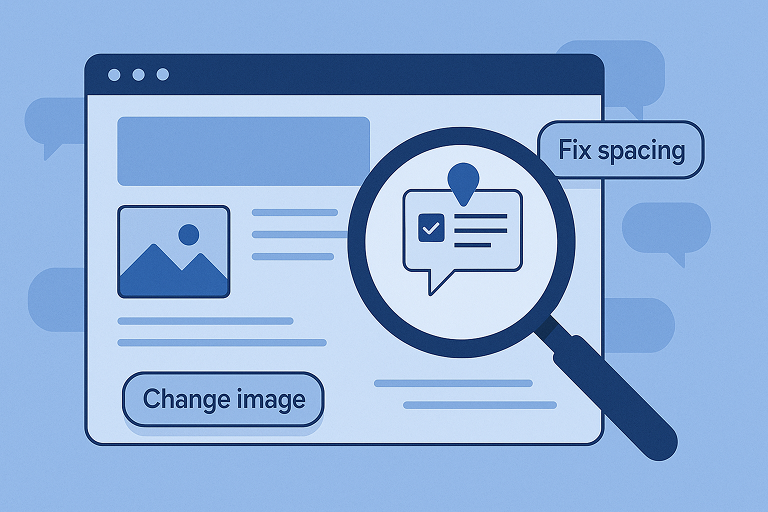
Bridging design and development requires seamless collaboration all the way to launch. A structured feedback process lets clients pin comments directly to the staging site, reducing confusion and ensuring fixes are actionable, we recommend using Bugherd to make the feedback process easy, transparent and delightful for your clients from start to finish. Each note can capture a screenshot, page URL, browser details, and screen size—removing the ambiguity of email chains or vague requests.
💡 Agency Highlight: “A staging feedback process ensures every note is clear, actionable, and tied to the right page and device.”
Setting Up and Managing Staging Feedback
Our workflow keeps feedback simple, central, and transparent:
- Set up the tool – We install a Bugherd WordPress feedback plugin or script, activate the project key, and confirm the toolbar appears for authorised guest users.
- Control access – Invite clients as guests so only approved users see the toolbar. (Note: no login is required to leave feedback.)
- Collect feedback – Clients click anywhere to leave a note. They can attach files or record videos for clarity.
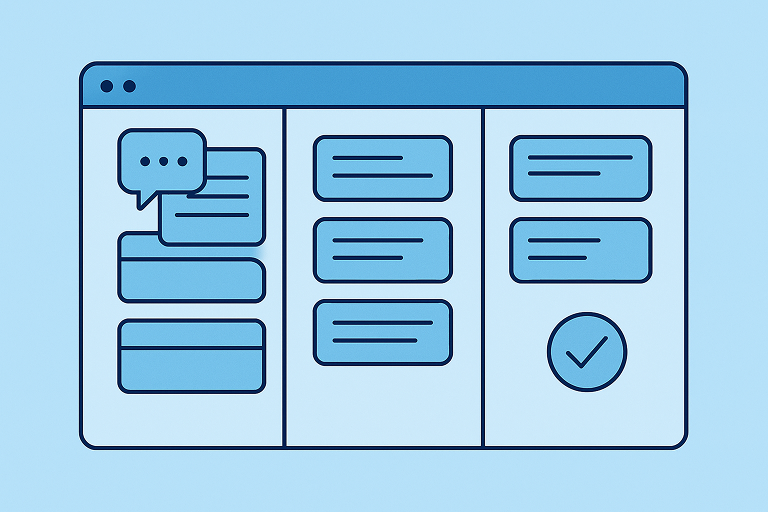
- Triage tasks – Each comment becomes a task on a built-in Kanban board. We tag items (Design, Dev, Content, Bug), assign them to team members, and track progress.
- Communicate & resolve – If feedback is unclear, we comment back. Once fixes are complete, tasks are marked done and verified by the client before closure.
💡 Agency Highlight: “The staging feedback process cuts out confusion—every issue is logged, tracked, and confirmed before launch.”
Educating Clients With a Cover Letter
We always use a friendly cover-letter email to invite clients into the staging review. This template explains:
- Why we use a feedback tool – Clients can click anywhere on the site to leave comments, pinning notes to the right section.
- How to get started – Open the staging site, click the toolbar, and begin commenting. (We recommend the free Chrome extension for the smoothest experience.)
- What to review – Visuals (colours, spacing), page structure, interactions (menus, forms), content accuracy, and bugs.
- How we manage feedback – Each note becomes a task, assigned and resolved with full visibility.
👉 Use our cover letter email template to introduce clients to the staging feedback process.
“Making feedback easy for clients speeds up fixes and keeps all communication organised in one place.”
💡 Agency Highlight
Internal Benefits and Integrations
Centralised staging feedback improves collaboration inside the agency too. The Kanban board integrates with tools like Asana, Slack, or GitHub, ensuring designers and developers stay in their normal workflow. Because tasks are traceable, nothing slips through the cracks.
Once all tasks are resolved and marked done, the project is essentially through final QA—reducing risk and giving both agency and client confidence before launch.
“When the staging board is clear, the project is ready to launch.”
💡 Agency Highlight
👉 Next in this series: Website Launch Process: Final Checks and Client Sign-Off

Frequently Asked Questions
A staging feedback system lets clients pin comments directly on the working site, complete with context like URL, browser, or screen size. This removes ambiguity from email chains, ensures every issue is actionable, and keeps everything trackable.
– Risk mitigation: Test updates safely before they hit the live site.
– Improved collaboration: Teams and clients can review working versions together and resolve issues more efficiently.
– Realistic performance testing and QA: Understand how the site behaves under real-world conditions—before deployment.
– Seamless user acceptance testing (UAT): Clients can interact with and approve features in a controlled space.
We ensure feedback remains clear and centralised:
– Set up a client-friendly feedback tool (plugin or script).
– Invite authorised users—no login required.
– Clients simply click on the page to leave notes, with optional attachment options.
– Each note becomes a task on our Kanban board, tagged and assigned to the right team member.
– Clients verify fixes before tasks are marked complete.
This streamlined process ensures nothing slips through before launch.
It’s client-first communication—straight to the point:
– Explains why the tool’s used and how to use it.
– Highlights what to review: visuals, navigation, interactions, content, and bugs.
– Clarifies the process flow: how tasks are logged, tracked, and resolved.
– Makes feedback feel manageable and transparent, not scattered.
The staging tool integrates with project platforms like Asana, Slack, or GitHub—so designers and developers stay within their workflows. Every feedback item is visible, assigned, and traceable, which ties off quality assurance (QA) rigorously before launch.
Absolutely. Webflow emphasises staging as a way to safely test changes and validate experiences before going live. Other sources point to staging’s power in testing features, improving collaboration, reducing risk, and allowing user acceptance testing (UAT).
Clients get reduced friction, meaningful control, and clearer progress tracking. Agencies get consolidated feedback, fewer launch-day surprises, a smoother handoff to developers, and greater launch confidence—all while protecting timelines and budgets.


